1-Day Course: Microsoft Copilot in the Workplace
Boosting Productivity with AI Across Daily Tasks
📝 Course Description
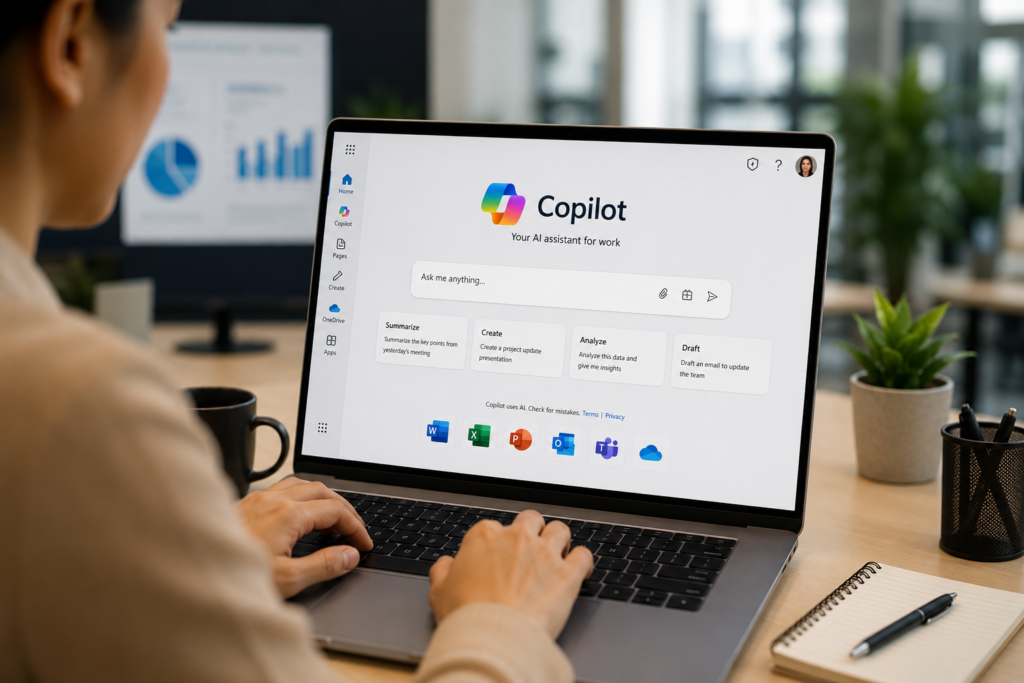
Microsoft Copilot in the Workplace is a practical Microsoft Copilot Training program designed to help professionals use AI effectively across everyday business tasks and workplace applications. As Microsoft Copilot becomes increasingly integrated into Microsoft 365, employees can use AI to improve productivity, streamline communication, analyze information, and complete routine tasks more efficiently. This course provides participants with practical knowledge of how Microsoft Copilot for Business can support common workplace activities while maintaining accuracy, security, and responsible AI practices.
Throughout the program, participants will explore practical applications of Microsoft 365 Copilot across tools such as Excel, Word, PowerPoint, Outlook, and other Microsoft workplace applications. Participants will learn how to use Copilot for Excel data analysis, document creation, presentation development, email writing, information research, content generation, summarization, and everyday business communication. The course also introduces effective AI prompting techniques to help participants generate more relevant and useful results while improving the quality and efficiency of their work.
The program also covers important considerations surrounding responsible AI use, including data privacy, information security, AI risks, accuracy, verification, and organizational AI policies. Through practical demonstrations, workplace scenarios, and hands-on exercises, participants will develop the confidence to integrate Microsoft Copilot into their daily workflows, reduce repetitive tasks, improve workplace productivity, and use AI tools responsibly within their organizations.
🌟 Learning Outcomes
By the end of the training, participants will be able to:
- Use Copilot effectively for data analysis and visualization in Excel
- Generate AI-assisted images and designs for reports and marketing
- Leverage Copilot to create and enhance presentations
- Conduct research and summarization tasks with Copilot
- Write and refine professional emails with Copilot
- Understand and apply AI policies, risks, and ethical practices
📅 Duration
1 Day (9:00 AM – 5:00 PM)
Includes morning/afternoon breaks and 1-hour lunch
📄 Course Outline
Session 1 (9:00 – 9:30 AM) | Introduction to Microsoft Copilot
- What is Copilot? How it integrates across Office apps
- Versions & availability (Copilot in Microsoft 365)
- Live Demo: Simple Copilot prompt vs advanced Copilot workflow
Session 2 (9:30 – 11:00 AM) | Copilot in Excel – Data Analysis Made Easy
- Using Copilot for:
- Formula creation (SUM, IF, XLOOKUP, etc.)
- Automated insights & pivot table generation
- Data visualization with recommended charts
- Hands-on: Analyze a sales dataset with Copilot (summary + chart + recommendations)
Session 3 (11:15 – 12:15 PM) | Copilot for Image Generation & Design
- Copilot in Word & Designer for image support
- Creating infographics, report visuals, and marketing images
- Hands-on: Generate 3 workplace visuals with Copilot (poster, infographic, report graphic)
Session 4 (12:15 – 1:00 PM) | Copilot in Presentations
- Copilot in PowerPoint:
- Turn Word documents into presentations
- Auto-generate slides, layouts, and speaker notes
- Smart design suggestions
- Hands-on: Create a 5-slide presentation in 10 minutes using Copilot
🍴 Lunch Break (1:00 – 2:00 PM)
Session 5 (2:00 – 3:00 PM) | Copilot in Research & Summarization
- Using Copilot to:
- Summarize research papers or reports
- Generate meeting notes & action items
- Create comparison tables and summaries
- Hands-on: Research a business trend and create a summary with references
Session 6 (3:00 – 3:45 PM) | Copilot in Email Writing & Communication
- Drafting, refining, and summarizing emails
- Tone adjustments: formal, concise, persuasive
- Hands-on: Write 3 types of emails – client proposal, internal update, and reply draft
Session 7 (3:45 – 4:30 PM) | AI Policy, Ethics & Responsible Use
- AI risks: over-reliance, misinformation, and data privacy
- Ethical considerations in workplace AI adoption
- Best practices: verify results, ensure compliance, protect sensitive data
- Group Discussion: “When should you NOT use Copilot?”
Session 8 (4:30 – 5:00 PM) | Final Integration Activity
- Capstone Hands-On Project:
Each participant applies Copilot to:- Analyze data in Excel
- Generate an image for reporting
- Create a 3-slide presentation
- Write a summary email of findings
- Group sharing & feedback
💼 Who Should Attend
- Professionals using Microsoft 365 apps daily
- Business analysts, managers, educators, admin staff
- Anyone wanting to improve productivity with AI-assisted workflows
Keywords: Microsoft Copilot Training, Microsoft Copilot in the Workplace, Microsoft Copilot Training, Microsoft 365 Copilot, Microsoft Copilot for Business, AI in the Workplace, AI Productivity, Copilot for Excel, microsoft copilot training, copilot training ai, ai training copilot, microsoft ai training